 Add a Web connector
|
<< Click to Display Table of Contents >> Navigation: Getting started > Add a connector > |
|
|
|
The Web connector starts an HTTP web server on the provided port. The HTTP Server enables access to the the SMS Web Application Client and the HTTP API. See the HTTP API specifications for an overview of the HTTP commands.
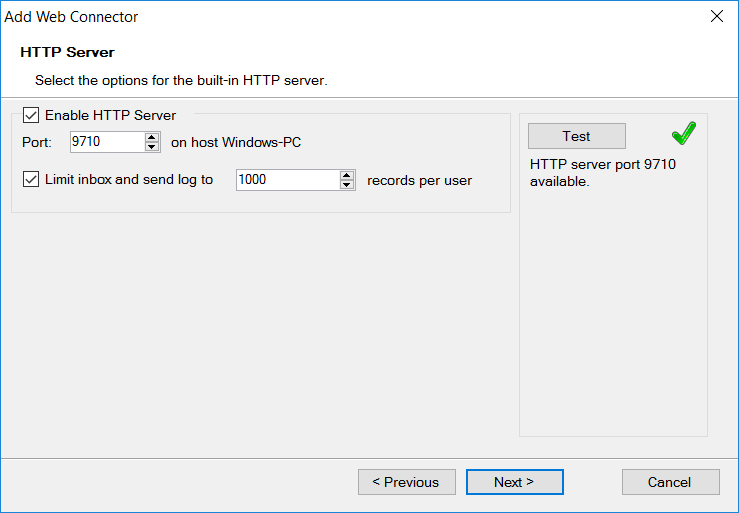
If the Limit inbox and send log to option is selected, the number of log items per user in the Send Log and the Inbox/Receive Log is limited to a fixed number of records. If the log database is getting too large, viewing the logs will get gradually slower and a fixed log limit helps to prevent this.
On the computer where Diafaan SMS Server is installed, you can access the web application client on url http://localhost:9710 with the user name admin and the password you entered in the setup wizard. If the web application can be accessed from the local computer but not from the rest of the network there might be a problem with the firewall. Diafaan SMS Server sets an exception to the Windows firewall on installation but it is possible that other firewalls block access to the HTTP server.
